https://azuremarketplace.microsoft.com/en-us/marketplace/apps/aad.workpath?tab=Overview
Workpath Active Directory Single-Sign-On Configuration
We’ve already setup a test and a live account in Workpath. To configure the connector, please follow the guide at https://docs.microsoft.com/en-us/azure/active-directory/active-directory-saas-workpath-tutorial and use the URLs provided below.
Setting up the test account is optional and can be used to gain confidence in the process or troubleshoot potential issues.
Supplementary information for the relevant guide steps:
3a. In the Identifier textbox, type this URL:
Test: https://api.workpath.com/v1/saml/metadata/contoso-test
Live: https://api.workpath.com/v1/saml/metadata/contoso
3b. In the Reply URL textbox, type this URL:
Test: https://api.workpath.com/v1/saml/assert/contoso-test
Live: https://api.workpath.com/v1/saml/assert/contoso
4. In the Sign-on URL textbox, type this URL:
Test: https://contoso-test.workpath.com/
Live: https://contoso.workpath.com/
10. Send the data as referenced to thomas@workpath.com (technical contact).
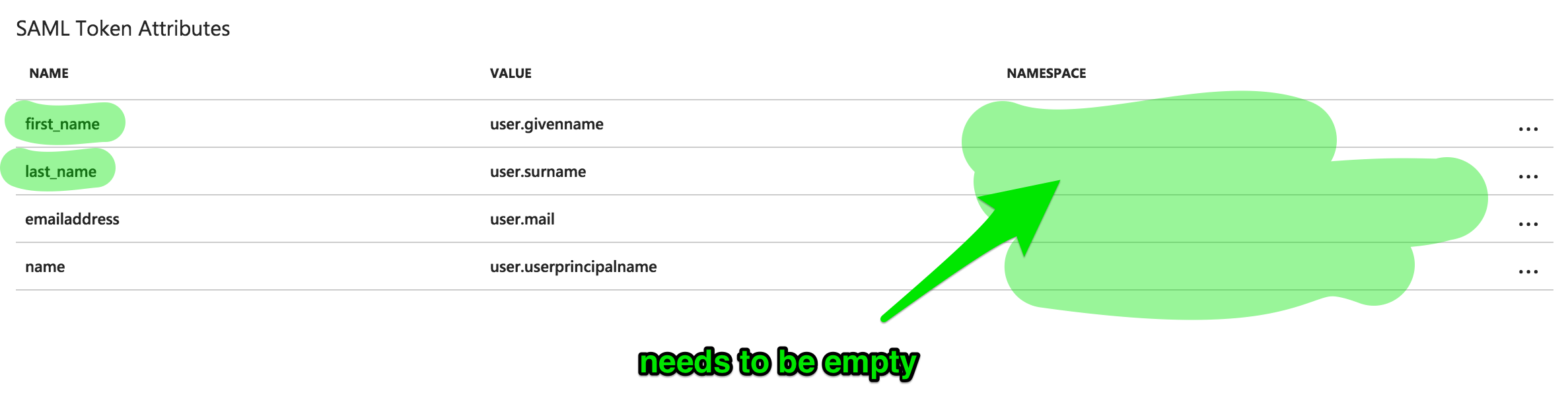
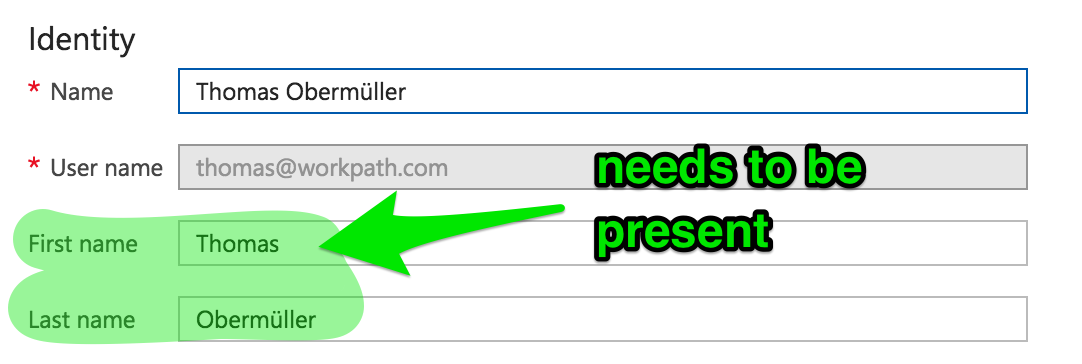
Single Logout is not working
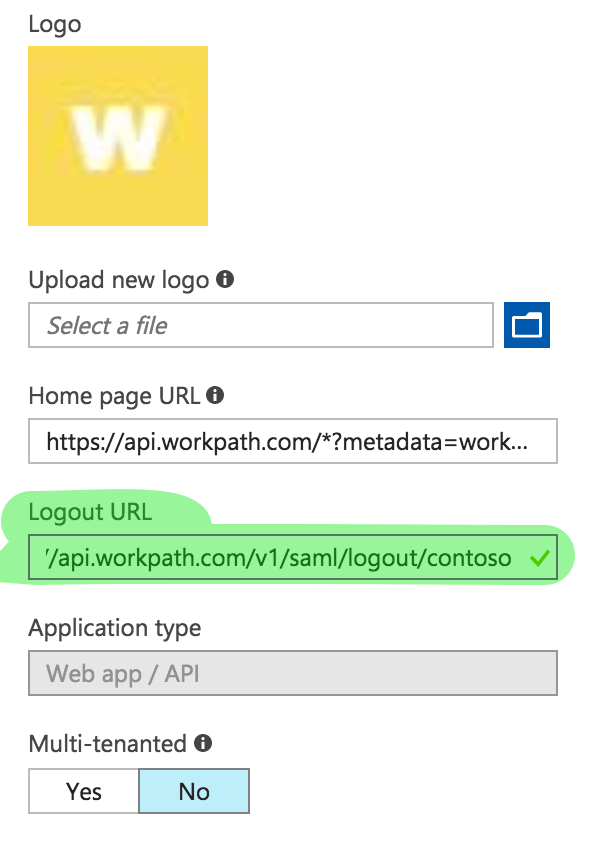
Go to Azure Active Directory >> App registrations >> Workpath >> Properties and configure the logout url to https://api.workpath.com/v1/saml/logout/tenant, where "tenant" is you Workpath subdomain.
Certificate not activated
Wrong user identifier
need user.mail