What is Personio?
Personio is a popular HR software that allows you to manage your employee data, vacation, salary, performance and recruiting in a simple software.
How do I benefit from integrating Personio with Workpath?
The main benefit from integrating Personio with Workpath is that you can import your employee's personal master data directly into your Workpath account.
The integration streamlines your administrative process, so you don't have to worry about adding new hires or deactivating leaving employees.
How do I setup the integration?
To integrate Personio with Workpath, you need to be both a Personio and a Workpath administrator.
Perform the following simple steps to setup the integration:
- Obtain the Client ID and Client Secret from Personio by going to your account's settings and then to API.
After clicking on Create new credentials you will receive a text file with the relevant Client ID and Client Secret.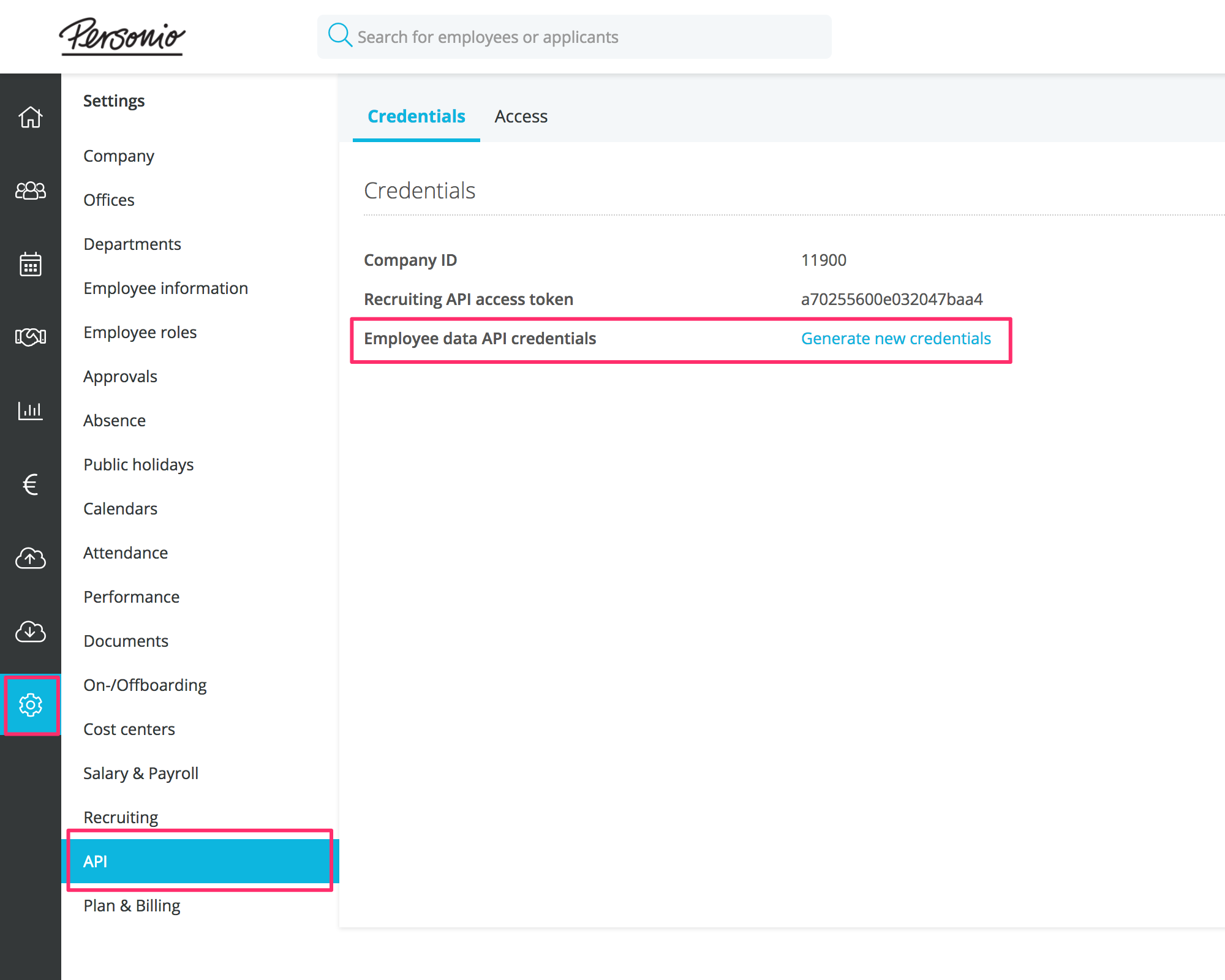
- In your Workpath account go to the Personio Integration Page (Click on your Profile > Settings > Integrations > Personio Integration). Enter the Client ID and Client Secret you have obtained in step 1 here.
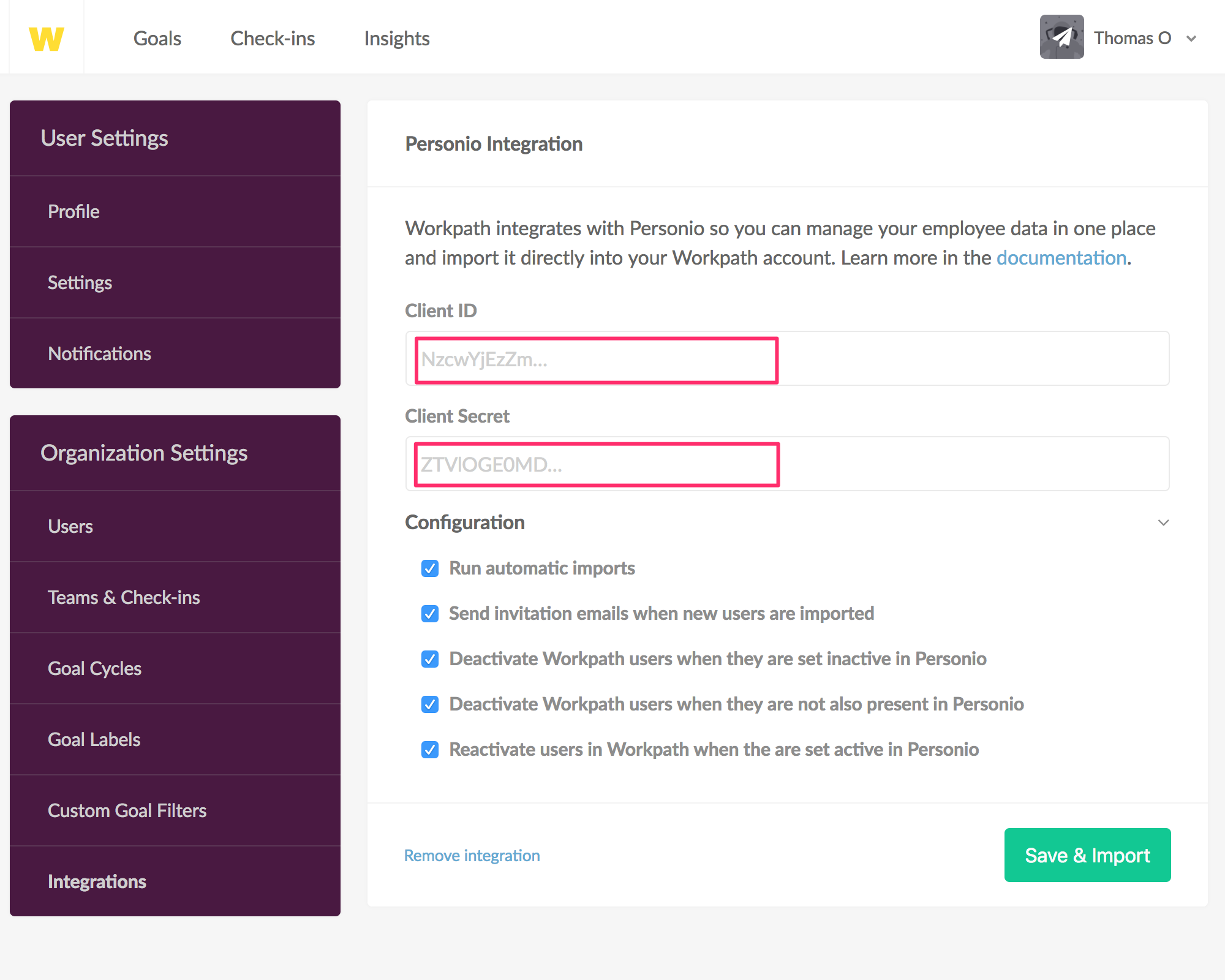
- Adjust the synchronization settings to best fit for your organization and click on save. This will trigger a synchonization and, if the auto import setting was selected, synchronize your employee master data every hour.